Buy · Project
Buying more with the launch wallets
Sidebar → Project → Buy. Buys more of the token with the launch's buy wallets after launch. Each wallet buys with its own ETH, in its own transaction, signed by the server.
Screenshots come from the current frontend running in a headless browser. The server, the chain and the browser wallet were simulated, so addresses and transaction hashes are placeholders. Token amounts were calculated from the pool above, so the numbers agree from page to page.
Buying more, step by step
- Tick the wallets to buy with: click the checkbox, or press and drag down the checkbox column to tick several.
- Set Spend %: the share of each wallet's ETH to spend (1–99, default 80). The rest pays that wallet's gas.
- Press Plan and read the plan: what each wallet will spend and which will be skipped.
- Press Buy.
What to watch for
- Each wallet spends its own ETH. Spend % is a share of each wallet's ETH balance; the rest pays that wallet's gas. A wallet with no ETH is skipped.
- There's no slippage limit. Each wallet's buy accepts any price, so a wallet buying after a big move gets fewer tokens.
The page, top to bottom
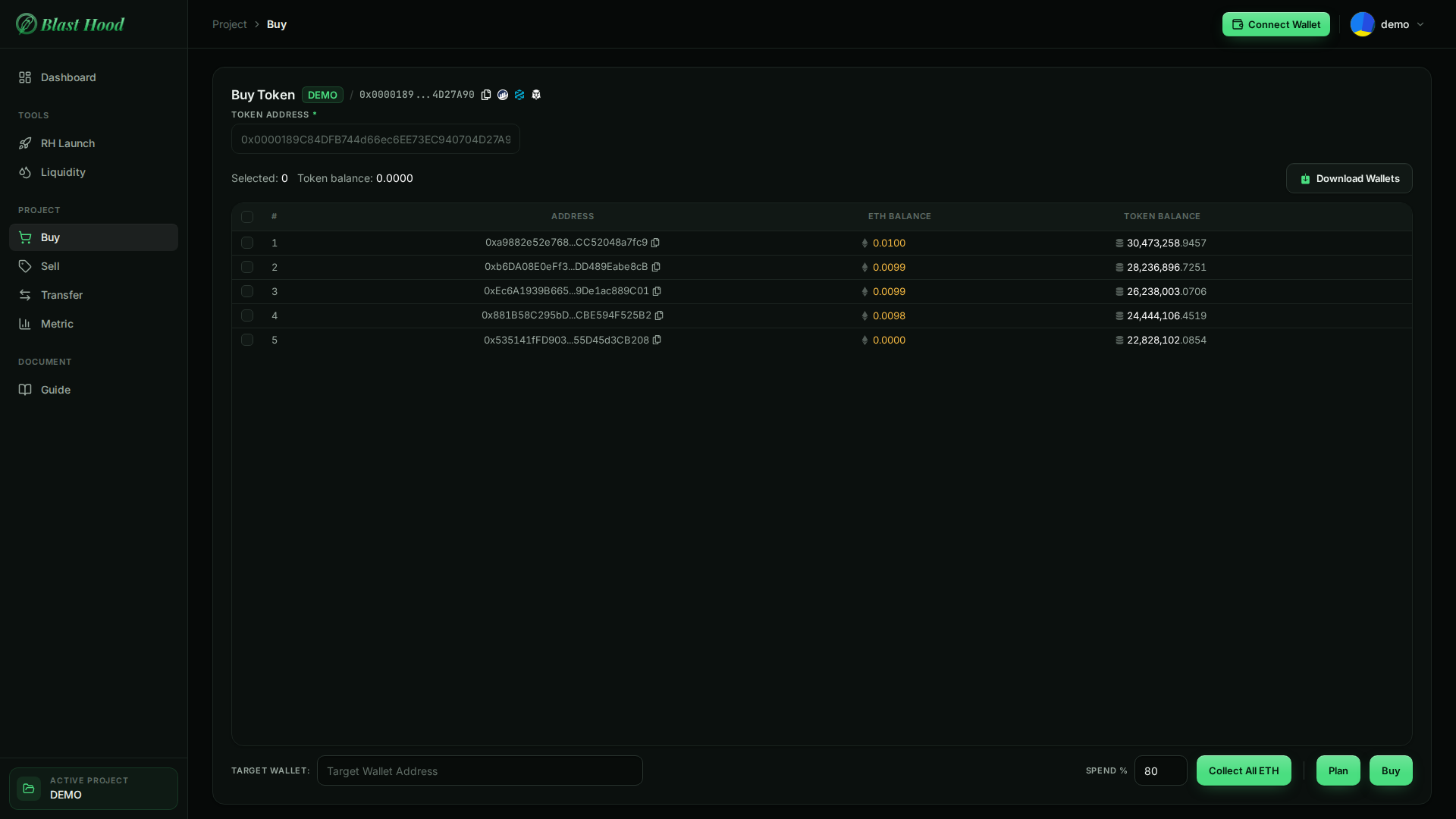
The page
The table lists the project's buy wallets with their live ETH Balance and Token Balance, read from the chain.
- No Wallet instead of rows means the project hasn't launched yet.
- Tick wallets by clicking their checkbox, or press and drag down the checkbox column.


Plan
Sends nothingA dry run. For each ticked wallet it shows ✓ with the ETH going in and the ETH kept for gas, or ✗ with the reason it would be skipped:
- wallet holds no ETH;
- insufficient ETH for gas: lower Spend % or add ETH;
- buy would revert: usually the max-wallet cap.
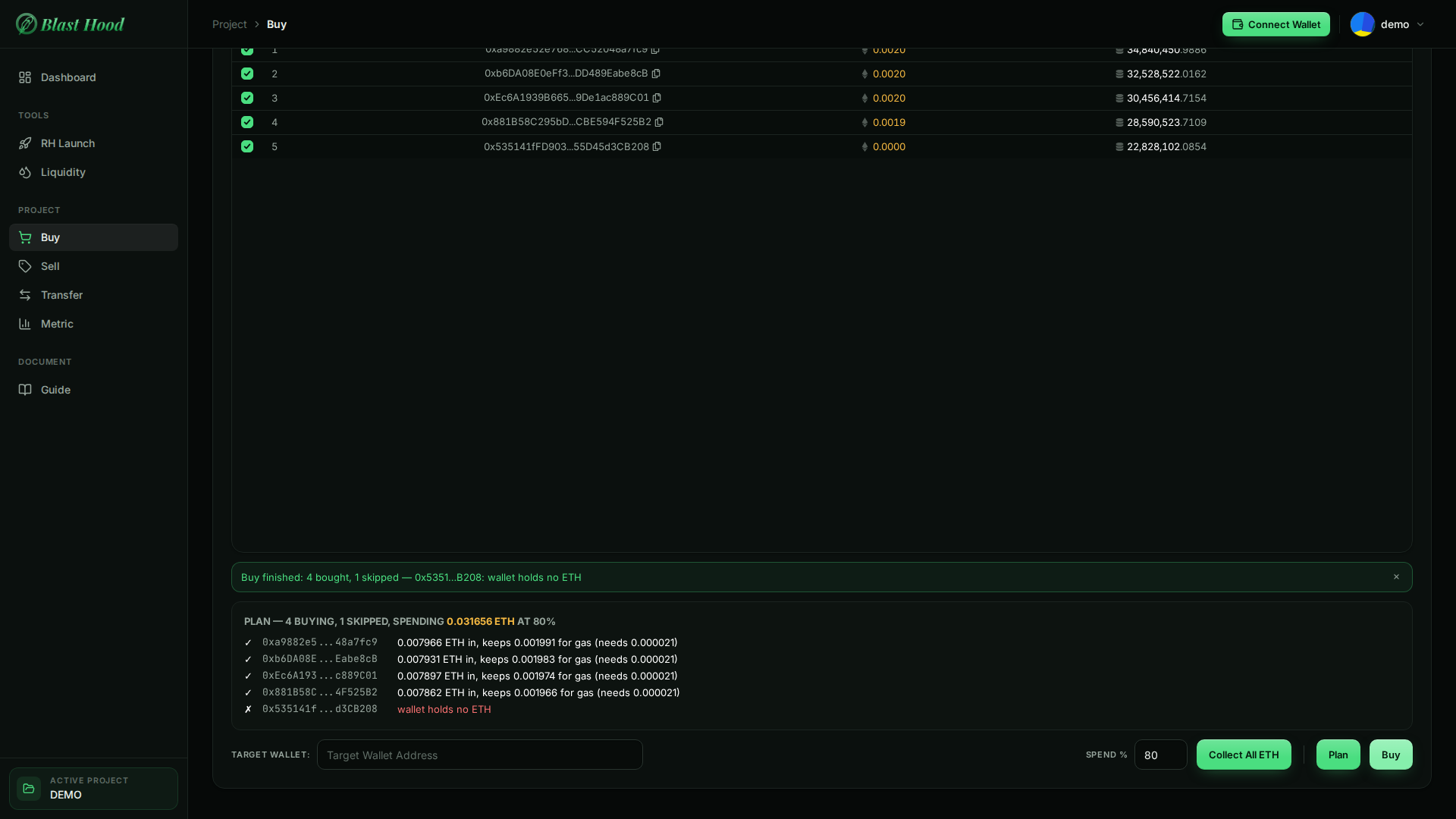
Buy
One transaction per walletThe server signs one buy per eligible wallet with that wallet's key, so no browser wallet is needed.
- The notice counts the wallets that bought and names any that were skipped or failed, with the reason. Balances update in the table.
- These buys are added to each wallet's cost on the Metric page.

Collect All ETH and Download Wallets
Keys in the file- Collect All ETH sends the ETH from the ticked wallets to the Target Wallet. Each wallet keeps enough for its own transfer fee, so a little dust remains. That's the only thing Target Wallet is used for.
- Download Wallets saves a CSV of every wallet's address and private key.