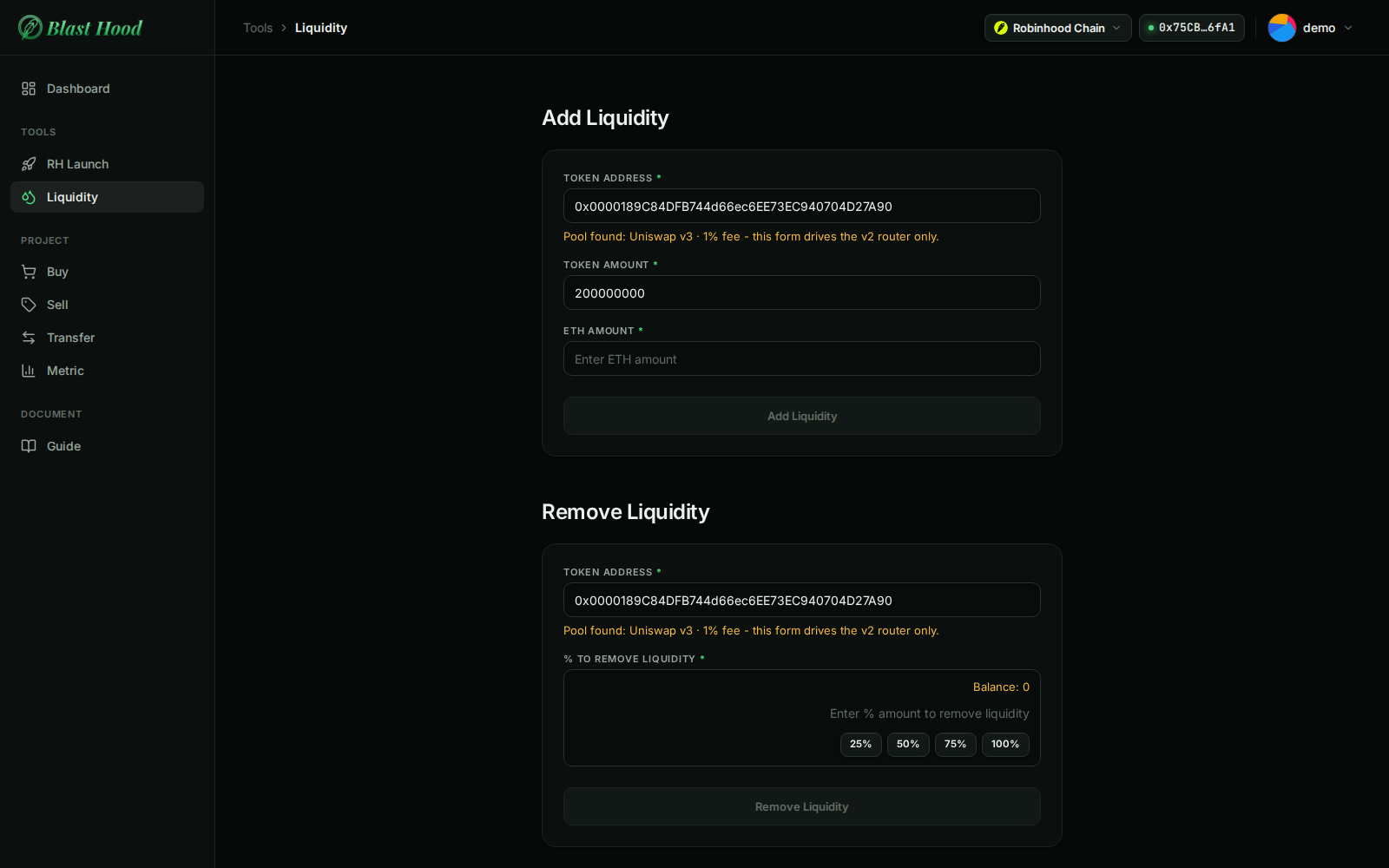
Liquidity management · Tools
Managing liquidity: burn or lock the LP
Sidebar → Tools → Liquidity. Four tools for a token's pool: add and remove liquidity (Uniswap v2), and burn or lock an LP position (v2, v3 or v4). Unlike the other pages, it signs with your own browser wallet and works on any token address, not just the selected project.
Screenshots come from the current frontend running in a headless browser. The server, the chain and the browser wallet were simulated, so addresses and transaction hashes are placeholders. Token amounts were calculated from the pool above, so the numbers agree from page to page.
For these screenshots the simulated wallet holds the example launch's v3 position #41237 and 200M DEMO, as it would after sweeping the deployer.
What to watch for
- It works from your browser wallet, not the server. Connect a wallet on Robinhood Chain that holds the LP. Without one, every section is empty and the buttons say "Please connect wallet!".
- After an RH launch the LP is with the deployer. Unless you set an LP recipient, sweep the deployer to your wallet on the RH Launch page first. Until then this page says "No LP found for this wallet."
- Add and Remove Liquidity are for Uniswap v2 only. RH launches default to v3. For a v3 or v4 token the badge says so and the form refuses, so use Burn LP or Lock LP.
- Burning is permanent. The position goes to the dead address and can't be recovered. A confirmation is shown first.
The page, top to bottom
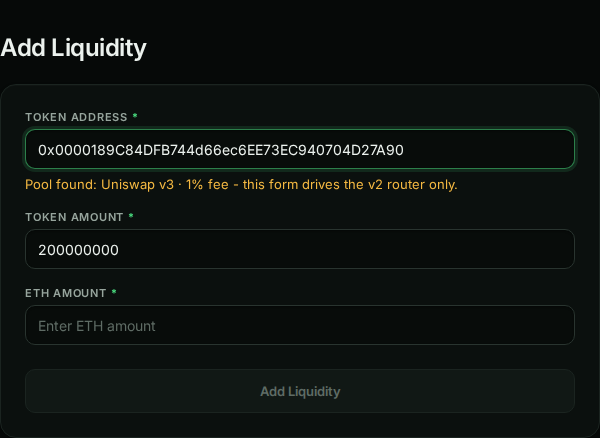
Add Liquidity
v2 onlyEnter a token address. The badge underneath says which pool holds the token:
- Pool found: Uniswap v2 (green): the form can add to it.
- Pool found: Uniswap v3 … this form drives the v2 router only (yellow): adding here would create a second, empty v2 pair, so the form refuses.
- No v2 or v3 pool found: you're asked whether to create a new v2 pair. A v4 pool isn't detected here.
Token amount fills in with your whole wallet balance; change it if needed. There is no slippage setting.
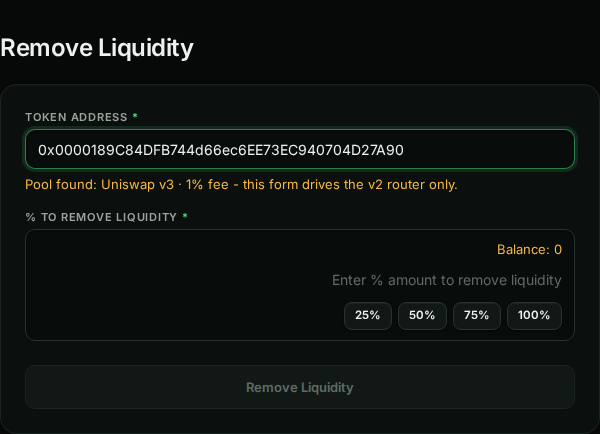
Remove Liquidity
v2 onlyRemoves a percentage of your v2 LP tokens (25/50/75/100% or any value). The yellow Balance is your LP-token balance.
For a v3 or v4 token the balance is 0 and the form refuses; positions in those pools are NFTs, handled by Burn LP and Lock LP.
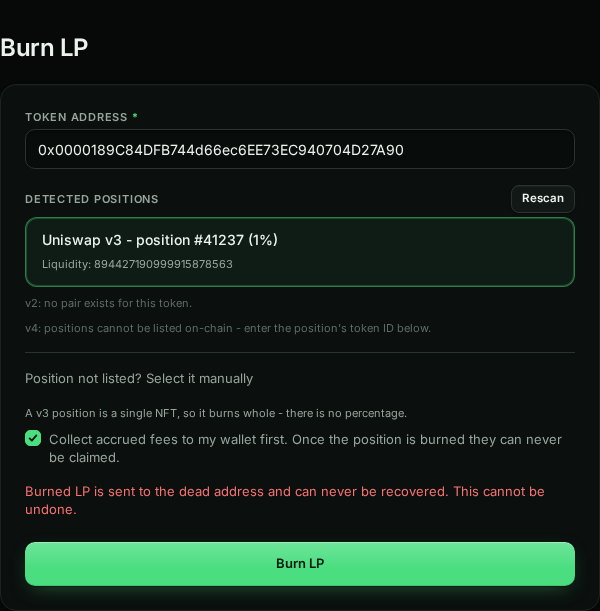
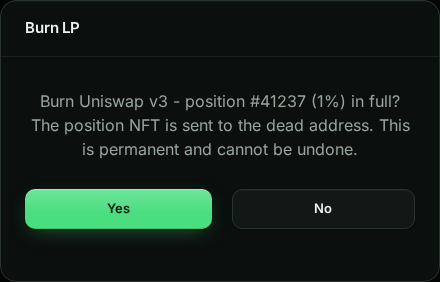
Burn LP
PermanentEnter the token address. Detected positions lists what your wallet holds: v2 LP tokens and v3 positions. Click one to select it.
- v4 positions can't be listed on-chain. Use Position not listed? Select it manually and enter the position's token ID (the RH Launch result and sweep show it).
- A v3/v4 position burns whole. Keep Collect accrued fees to my wallet first ticked; after the burn they can never be claimed.
- For v2 LP tokens you choose a percentage instead.
- Burning sends the position to
0x…dEaD, after a confirmation.
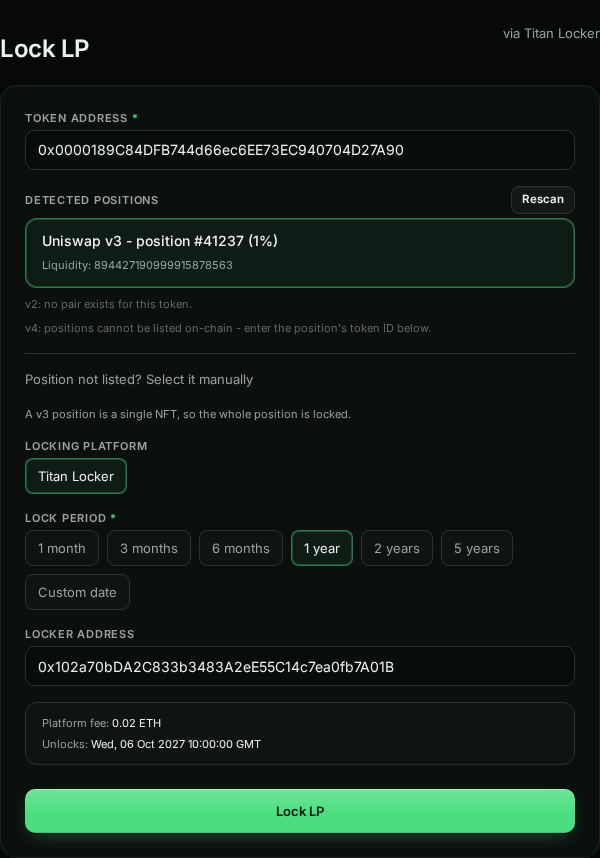
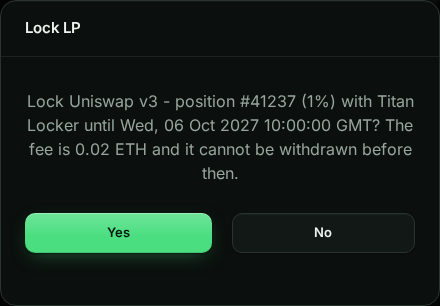
Lock LP
Titan LockerLocks the position until a date, after which you can withdraw it from the locker.
- On Robinhood Chain the only platform is Titan Locker (linked at the top right). It has no "forever" option.
- Pick a period (1 year by default) or a custom date. Unlocks shows the exact time in UTC.
- The platform fee is read live from the locker and paid in ETH from your wallet; 0.02 ETH here is an example value.
- A v3/v4 position is locked whole; v2 LP tokens can be locked by percentage.
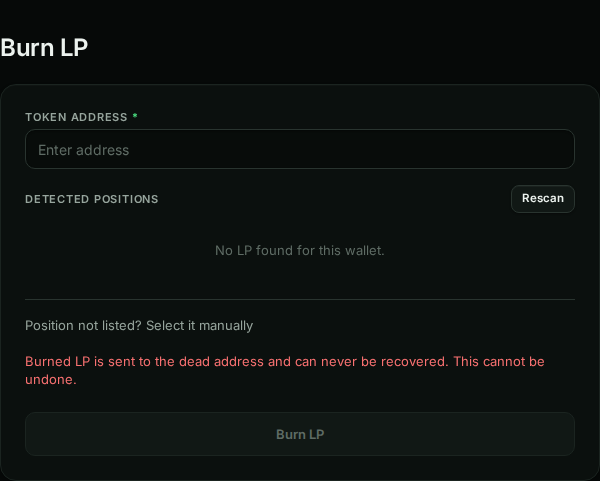
Without a wallet
Connect firstWith no wallet connected, or with a wallet that doesn't hold the LP, the pickers say No LP found for this wallet and the buttons stay disabled. Use Connect Wallet at the top right.
Top of the page with a wallet connected (1600 × 1000)