Dashboard
Creating and managing projects
Sidebar → Dashboard. Your projects: create one, pay its activation fee, open it, or delete it.
Screenshots come from the current frontend running in a headless browser. The server, the chain and the browser wallet were simulated, so addresses and transaction hashes are placeholders. Token amounts were calculated from the pool above, so the numbers agree from page to page.
Creating a project, step by step
- Press New, type a project name (unique among your projects) and press Create.
- Send the Service Fee (0.2 ETH at the time of writing) to the address shown, on Robinhood Chain, within the hour.
- Keep the dialog open, or close it and come back with Pay fee. The payment is detected within about 10 seconds.
- When the dialog shows Success!, press Done. The project is
OPEN. - Press Go to project to open it on RH Launch.
Project statuses
- INIT
- Created, waiting for its fee
- OPEN
- Active: ready to prepare and launch
- TRADE
- Launched: Buy, Sell, Transfer, Metric
- EXPIRED
- Fee not received within the hour
What to watch for
- Pay on Robinhood Chain only. The deposit address exists on every network, but only Robinhood Chain is watched. A fee sent elsewhere doesn't activate the project and can't be recovered from here.
- The payment window is one hour. After that the project expires and the address stops being watched. Several transfers that add up to the fee count.
- An expired project can't be paid any more. Delete it and create a new one under a different name. If you did pay, contact the BlastHood team.
The page, top to bottom
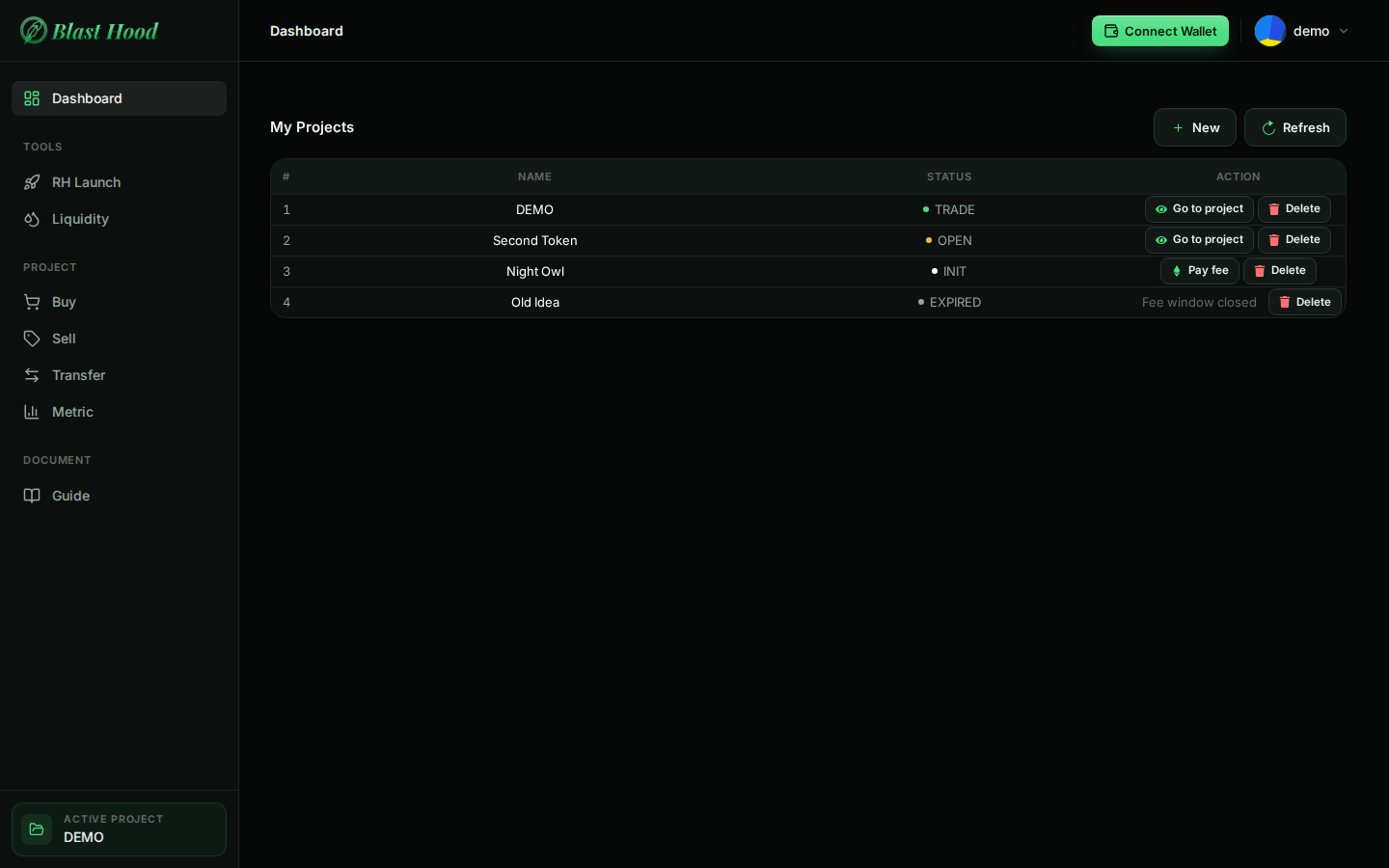
The Dashboard
My Projects lists your projects with their status and what you can do next:
- Go to project makes it the active project (shown at the bottom of the sidebar) and opens RH Launch, or Buy if it has launched.
- Pay fee reopens the payment details of a project still waiting for its fee.
- Fee window closed: the project expired. Hover it for what to do.
- Refresh reloads the list, for example after paying from another device.
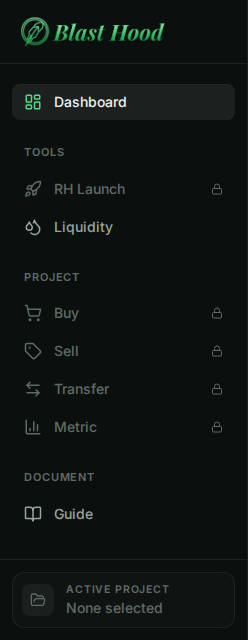
The sidebar
RH Launch and the Project section (Buy, Sell, Transfer, Metric) are locked, with a padlock, until a project is active. Press Go to project on a project to unlock them; its name then appears under Active project.
- Liquidity is always available: it works on any token address, not just the active project.
- Document → Guide opens this guide in a new tab.
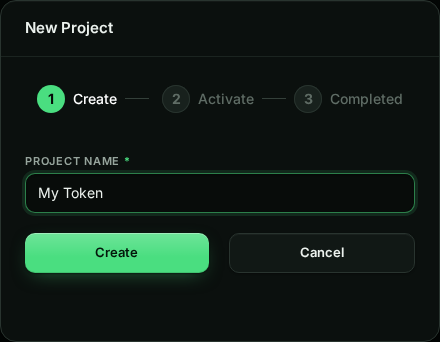
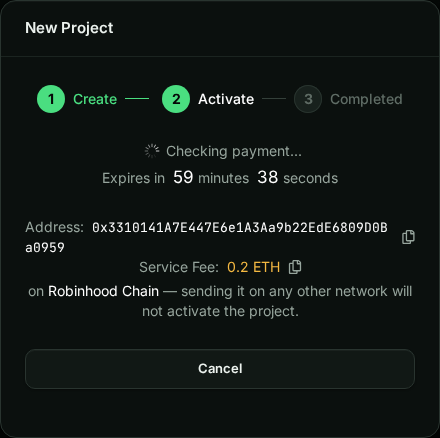
New project and payment
Robinhood Chain onlyAfter Create the dialog shows a deposit address made for this project, the fee and the time left.
- Use the copy buttons; the address is shown in full so you can check it against what you pasted.
- The fee and the network come from the server, so trust the dialog over this guide if they differ.
- Cancel only closes the dialog. The address is still watched until the hour is up.
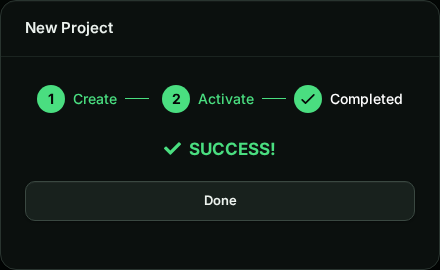
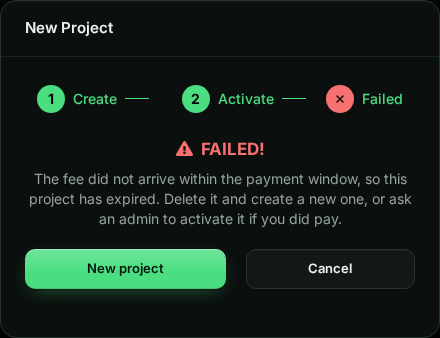
Activated or expired
Success! means the project is OPEN. Failed! means the hour ran out; New project starts over with a fresh name. If you paid but the project still expired, contact the BlastHood team.
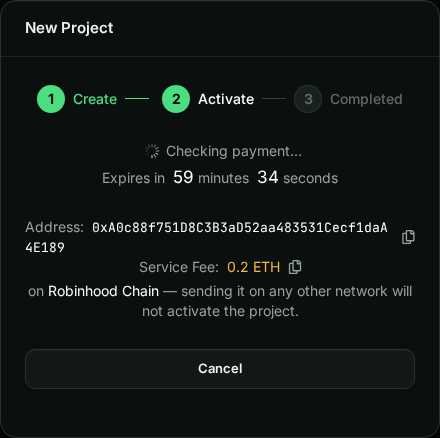
Pay fee
Closed the dialog before paying? Press Pay fee on the project's row to see its address, fee and remaining time again. It keeps checking while open.
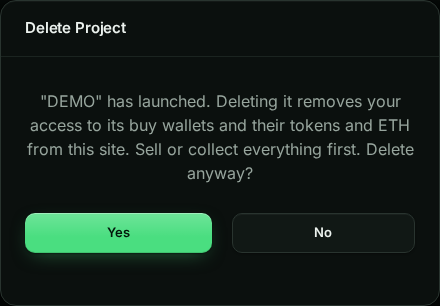
Delete
Can't be undoneDelete removes the project from your list after a confirmation. For a launched project the warning is stronger: its buy wallets keep their tokens and ETH, but this site can no longer reach them.
Sell on Sell and use Collect All ETH before deleting a launched project.